
Welcome to my Lumen5 review!
If you've been searching for a way to create professional-looking videos without spending hours hunched over a timeline — or, worse, paying a videographer — then buckle up, because Lumen5 might just be your new best friend. I've dug deep into this platform, tested its features, and I'm here to give you the full, honest scoop.
What is Lumen5?
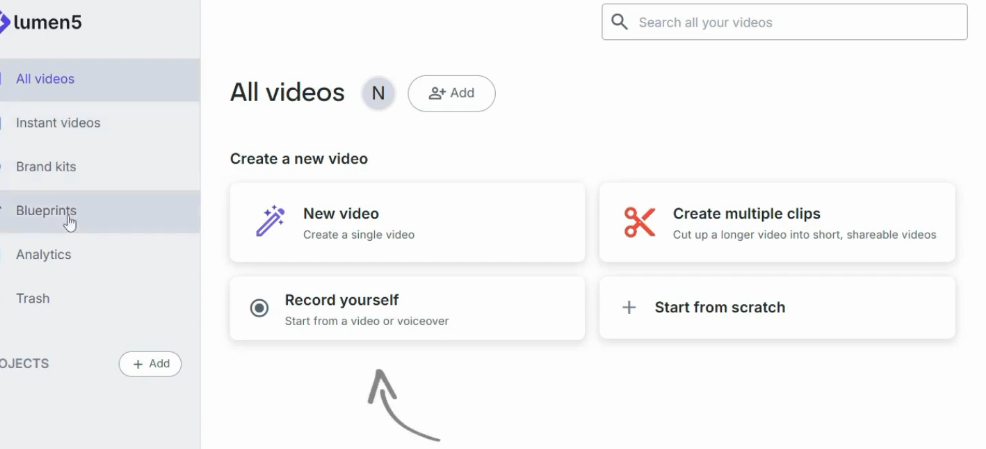
Lumen5 is an AI-powered video creation platform that does something genuinely clever: it takes written content — blog posts, scripts, articles, social media copy — and automatically transforms it into a polished, shareable video. Think of it as the bridge between your keyboard and a finished video, without the technical headaches in between.
The platform is entirely browser-based, meaning there's no software to download, no hardware requirements to sweat over, and no steep learning curve. You paste your text, let the AI work its magic on a storyboard, swap out a few clips if you fancy, and export. That's genuinely it.
I feel like Lumen5 was built by people who deeply understood the frustration of the average content creator — someone who knows what they want to say but doesn't have the time or budget to say it in video form. It scratches a very real itch.
Who is Lumen5 For?
Lumen5 is designed for a pretty broad audience, but it truly shines for a specific type of user. If you're trying to figure out low-competition YouTube niches to build a content strategy around, Lumen5 is one of the tools you'll want in your corner from day one. Here's who I think will get the most out of it:
- Marketers and social media managers who need a steady stream of video content without a production budget.
- Bloggers and content creators looking to repurpose their existing written content into engaging video format.
- Small business owners who want professional marketing videos but can't afford a video production team.
- Internal communications teams producing training or announcement videos at scale.
- Entrepreneurs who wear every hat in their business and need tools that save time, not create more work.
Think of it this way: if you're exploring the best ways to make passive income on YouTube, turning your blog content into video is some of the lowest-effort, highest-upside work you can do. Lumen5 makes that incredibly accessible.
Who is Lumen5 NOT For?
Look, I'll be honest — Lumen5 isn't for everyone, and I think it's important to be upfront about that. Here's who might want to look elsewhere:
- Filmmakers or advanced video editors who need timeline layers, advanced effects, colour grading, or complex audio mixing. Lumen5 is not Adobe Premiere.
- Creators needing custom animations or motion graphics. This isn't After Effects territory.
- Anyone wanting complete creative control over every pixel of their video. The AI makes a lot of decisions for you, and while you can override them, the tool isn't built for granular perfectionism.
- Budget-conscious creators — with no free plan available and Basic starting at $29/month, you'll need to commit financially from day one.
My honest take? If you're already comfortable with DaVinci Resolve or Final Cut Pro and love the full editing experience, Lumen5 probably isn't going to wow you. But if video editing currently makes you want to throw your laptop out the window, then Lumen5 is basically a gift.
Core Features of Lumen5
1. AI Text-to-Video Engine
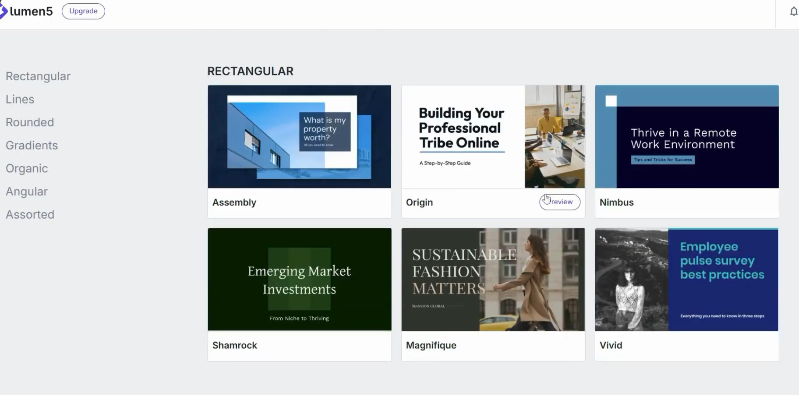
This is the headline act — and it earns its top billing. You simply paste in your text (a blog post URL, a script, or raw copy), and Lumen5's AI reads it, identifies the key points, and automatically builds a video storyboard. Each sentence or key phrase is matched with relevant stock footage or images from the built-in library.
What impresses me is how logically the AI sequences the scenes. It's not just randomly slapping clips together — it actually tries to match the tone and subject of your words with appropriate visuals. Is it perfect? No. You'll occasionally end up with a clip of someone in a suit staring at a laptop when you were writing about nature. But for a first draft, it's remarkably solid and saves enormous time.
💡 Pro Tip: The cleaner and more structured your source text, the better the AI performs. Bullet points and clearly delineated paragraphs give the AI more to work with. A wall of stream-of-consciousness text will give you... mixed results. |
2. Drag-and-Drop Editor
Once the AI has assembled your storyboard, you get full control via a drag-and-drop editor. Rearrange scenes, swap out stock clips you don't love, adjust text overlays, tweak timing, and customise transitions. It's genuinely intuitive — even if you've never edited a video in your life, you'll feel confident within minutes.
I think this is where Lumen5 strikes the right balance. You're not fighting an overwhelming interface full of tools you'll never use, but you're also not stuck with whatever the AI decided. The level of control is just right for the target audience.
3. Massive Stock Media Library
Lumen5 gives you access to millions of stock video clips, images, and audio tracks — no external subscriptions needed. You can search directly within the editor by keyword and preview clips before adding them.
Word of warning: some of the stock B-roll can feel a little... 2015. You know the type — overly staged office scenes, suspiciously happy people shaking hands. It's the nature of stock footage. I'd recommend replacing the AI's initial picks with anything more authentic where you can, especially if you have your own footage to upload.
4. Brand Kits
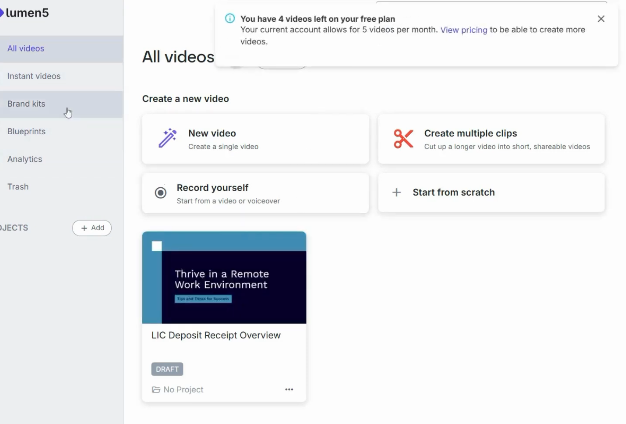
This is a genuinely fantastic feature for anyone producing regular content. Lumen5 lets you create Brand Kits — saved collections of your logo, brand colours, fonts, and custom watermarks — that can be applied to any video in one click. For businesses or agencies managing multiple clients, you can set up multiple brand kits and switch between them effortlessly.
The result? Every video looks like it came from the same cohesive visual identity, without you having to manually re-apply your style every single time. If you're a social media manager juggling multiple brands, this feature alone will save you hours.
5. AI Voiceover
Lumen5 includes an AI voiceover feature that converts your script into narration automatically. There are multiple voice options with different accents and tones. The quality is genuinely decent for basic explainer content — it's clear, readable, and saves you the hassle of recording your own audio.
That said, I think this is one area where the AI still has some catching up to do. The voiceovers don't quite have the natural warmth of a human voice actor, and if your content relies heavily on personality and charm, you might want to record your own audio and overlay it instead. But for informational or corporate content? It's more than serviceable.
6. Automatic Captions
Captions are non-negotiable for social media in 2025 — most people scroll with the sound off. Lumen5 auto-generates captions from your script, which you can then edit for accuracy. You can customise the font, colour, position, and timing. It's a thoughtful inclusion that makes your videos instantly more accessible and engagement-friendly.
7. Export & Publishing Options
Lumen5 makes it easy to get your finished video out into the world. You can export as an MP4 and share directly to social media platforms. The export process is clean and straightforward — no mysterious file formats or compression nightmares.
How Does Lumen5 Work? (The Workflow)
Here's the basic workflow, which is refreshingly simple:
- Input your content — paste a blog post URL, type a script, or write directly in the editor.
- Let the AI build your storyboard — it reads your text, pulls key points, and matches them with relevant visuals.
- Customise to your heart's content — swap clips, adjust text, apply your brand kit, add music.
- Add voiceover and captions — either use the AI narration or record your own.
- Export and publish — download your MP4 or push directly to social media.
The whole process, from blank page to finished video, can genuinely take under 15 minutes for a short social clip. For a longer piece of repurposed content, you might spend 30-45 minutes customising. Either way, that's significantly faster than traditional video production.
What I would do: I'd start by repurposing your top 3-5 most popular blog posts. They already have proven content that resonates with your audience — turning them into 60-90 second social videos is low-hanging fruit that could seriously boost your content reach.
Lumen5: Pros and Cons
PROS | CONS |
✓ Incredibly fast text-to-video conversion | ✗ No free plan — Basic starts at $29/mo |
✓ Intuitive drag-and-drop — no editing experience needed | ✗ Starter ($79/mo) is a steep jump from Basic |
✓ Huge built-in stock library on higher-tier plans | ✗ Pro at $199/mo is expensive for solo creators |
✓ AI auto-generates storyboards from blog posts or scripts | ✗ AI output can feel generic without customisation |
✓ Brand kit keeps your visuals consistent | ✗ No advanced timeline, effects, or colour grading |
✓ AI voiceover + automatic captions included | ✗ Stock B-roll quality can be hit or miss |
✓ Yearly billing saves 25% across all plans | ✗ AI voiceover lacks nuance of real voice actors |
✓ Ideal for social media content at scale | ✗ Not ideal for cinematic or complex productions |
Lumen5 Pricing and Plans
Lumen5 offers four paid tiers. There is no free plan, so every user is committing financially from the start. That said, the yearly billing option saves you 25% across all plans, which is worth factoring in if you're planning to use it long-term. Here's the full breakdown:
Plan | Monthly | Yearly (save 25%) | Best For |
Basic | $29/mo | $19/mo | Creating simple videos |
Starter | $79/mo | $59/mo | Content creators |
Pro | $199/mo | $149/mo | Small businesses |
Team | Custom | Custom | Enterprise teams |
Which Plan Should You Choose?
Basic ($29/mo or $19/mo yearly): The entry point. Good for individuals dipping their toes into video creation — you get the core text-to-video features without a massive outlay. If you're just starting out, this is where I'd begin.
Starter ($79/mo or $59/mo yearly): Aimed at content creators who need more output and customisation. The price jump from Basic is noticeable, so make sure you're using the tool regularly enough to justify it before upgrading.
Pro ($199/mo or $149/mo yearly): This is squarely aimed at small businesses and marketing teams producing video content at volume. The feature set is comprehensive, but at this price point, I'd encourage you to compare carefully against InVideo AI before committing.
Team (Custom): For enterprise teams with advanced needs. Contact their sales team for a tailored quote.
🤔 Honest pricing take: Lumen5's pricing has moved upmarket since earlier versions of this review. The Basic plan at $29/month is reasonable for what it offers, but the jump to Starter at $79/month is steep. If you're price-sensitive, the yearly billing option makes a real difference — Basic drops to $19/month billed annually, which is much easier to stomach. Either way, I'd strongly recommend trialling before committing to anything above Basic. |
Why I Recommend InVideo AI Over Lumen5
⚡ This is the section where I put on my honest hat and tell you what I'd actually use if I were starting today. Spoiler: it's not Lumen5. |
Let me be clear — Lumen5 is a genuinely solid tool and everything I've said above stands. But after testing both platforms extensively, there's one tool I keep coming back to for video creation, and that's InVideo AI.
I've written a full breakdown in my InVideo AI review, but let me give you the headline version here so you can make an informed decision.
The Core Difference: Lumen5 Needs a Script. InVideo AI Doesn't.
This is the fundamental distinction — and it matters more than any feature list.
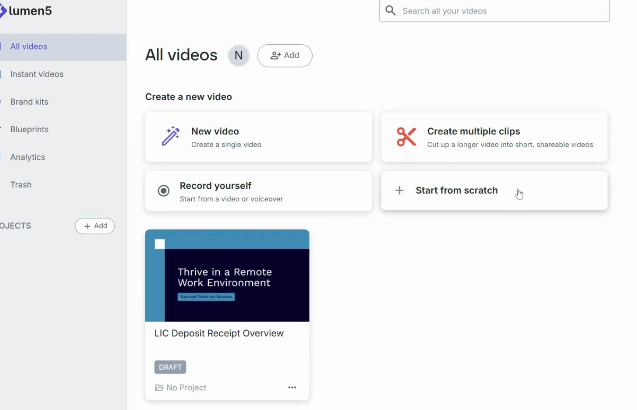
Lumen5 is a text-to-video tool. You bring the script, the blog post, the article — and it turns that into a video. It's excellent at that specific job. But you still have to do the writing first.
InVideo AI works from a single sentence prompt. You type something like: "Make a 90-second YouTube video on the top 5 benefits of cold showers" — and it writes the script, selects the footage, records an AI voiceover, adds captions and music, and gives you a finished video. The whole creative brief-to-video pipeline is handled for you.
Think about what that means in practice: with Lumen5, you're still spending time writing before you can create. With InVideo AI, you go straight from idea to video. For anyone building a faceless YouTube channel or producing content at scale, that's an enormous time saving.
The InVideo AI Advantages at a Glance
- Generates the script for you — no writing required before you start.
- Prompt-based editing — type what you want changed and the AI does it.
- Voice cloning — upload 30 seconds of your own voice and use it across every video.
- Access to top AI generation models (Sora 2, Google VEO 3.1, Kling AI) — all in one subscription.
AI Twins feature for faceless YouTube channels — create a personal AI avatar so you never have to be on camera.
- Starts at $25/month — more affordable than Lumen5's Basic plan at $29/month.
Head-to-Head: Lumen5 vs. InVideo AI
Feature | Lumen5 | InVideo AI |
Workflow | Text-to-video from script | Prompt-to-video from scratch |
Script generation | No — you provide it | Yes — AI writes it for you |
Starting point | Paste text/blog URL | Type a single sentence |
Stock footage | Large library | Millions (iStock etc.) |
AI voiceover | Yes | Yes + voice cloning |
AI video generation | No | Yes (Sora 2, VEO 3.1, Kling) |
Faceless channel use | Limited | Excellent (AI Twins) |
Prompt-based editing | No | Yes |
Starting price | $29/mo (or $19/mo yearly) | Free / $25/mo |
Best for | Repurposing written content | Creating new video from idea |
Where Lumen5 Still Wins
In the spirit of fairness, here are the situations where I'd still choose Lumen5 over InVideo AI:
- You have a large library of existing written content (blogs, newsletters, press releases) you want to convert quickly. Lumen5's URL import and paste-to-storyboard workflow is really smooth for this.
- You want a cleaner, simpler editing interface. InVideo AI's power comes with a bit more complexity. Lumen5 is more approachable for complete beginners.
- Your use case is purely social media repurposing and you don't need script generation.
🏆 Bottom line: If you're choosing between the two, InVideo AI is the more powerful and versatile platform for most creators. It does everything Lumen5 does, and then goes several steps further — at a lower starting price. But if you love simplicity and already have your content written, Lumen5 is still a brilliant, reliable tool. |
How Does Lumen5 Stack Up Against Other Competitors?
Beyond InVideo AI, the AI video creation space is getting crowded. Here's how Lumen5 compares to its other main rivals:
Lumen5 vs. Pictory
Pictory is another blog-to-video tool in the same lane. Both produce similar output quality — it often comes down to personal preference in terms of interface. I think Lumen5 has a slight edge in ease of use, but Pictory offers more fine-grained control over scene-level editing.
Lumen5 vs. Canva Video
Canva has expanded heavily into video creation and offers a more affordable entry point for users already on Canva Pro. If design flexibility and a massive template library are your priority, Canva may win. But Canva's text-to-video AI is nowhere near as polished as Lumen5's storyboarding engine for turning long-form written content into structured video narratives.
Lumen5 vs. Jasper AI
If writing quality is important to you before you create your videos, it's worth mentioning Jasper AI as a complementary tool. Jasper can help you write the scripts and blog posts that you then feed into Lumen5. The two actually pair quite nicely — use Jasper to produce high-quality written content, then run that content through Lumen5 for the video output.
Lumen5 vs. Synthesia
Synthesia is a fundamentally different product — it specialises in AI avatar videos where a digital presenter delivers your script on camera. It's brilliant for training content and corporate communications, but it serves an entirely different use case. Lumen5 is all about visual storytelling with stock media; Synthesia is about putting a presenter in front of your audience. Different horses for different courses.
Is Lumen5 Legit?
Yes — without question. Lumen5 has been around since 2017 and has established itself as one of the more trusted names in the AI video creation space. It's used by major brands, media companies, and hundreds of thousands of content creators worldwide.
It's not a scam, it's not vaporware, and the product does genuinely deliver on its core promise: making video creation accessible, fast, and repeatable. The platform is well-maintained, regularly updated, and offers proper customer support.
As with any tool, results depend on the quality of the input and the time you put into customisation. The AI will give you a solid foundation — but the more effort you put into personalising the output, the more professional and authentic your videos will look.
Final Verdict
⭐⭐⭐⭐ (4/5) — A genuinely impressive tool for content repurposing and social video creation at scale. |
Lumen5 is one of those tools that genuinely earns its reputation. It's not trying to replace professional video editors — and it doesn't need to. What it does, it does very well: make video creation approachable, fast, and scalable for the millions of people who have great content but no video production experience.
The sweet spot for Lumen5 is marketing teams, bloggers, and small business owners who are sitting on a goldmine of existing written content and not converting it into video. That's a missed opportunity in 2025, and Lumen5 is probably the most painless way to fix it.
Is it perfect? No. The absence of a free plan means you're committing money from day one, and the pricing has moved upmarket — Basic at $29/month is fine, but Starter at $79/month is a significant jump. If you need cinematic quality or full creative control, you'll also hit a ceiling quickly. But for fast, branded, social-ready video content, it's genuinely excellent.
That said, if you're starting fresh and want the most powerful AI video tool on the market today, my honest recommendation is to check out InVideo AI first. It goes several steps further than Lumen5 and starts at a lower price point.
Give Lumen5 a try. Start with the Basic plan, repurpose your best-performing blog post into a video, and see how your audience responds. I'll bet you'll be upgrading within the month — and then quietly eyeing InVideo AI not long after.
Frequently Asked Questions (FAQ)
Is there a free version of Lumen5?
No — Lumen5 no longer offers a free plan. The entry-level Basic plan starts at $29/month (or $19/month billed yearly). If you want to test the platform before paying, reach out to their team about a trial, or keep an eye on their website for any promotional offers.
Do I need video editing experience to use Lumen5?
Absolutely not. Lumen5 is designed specifically for people without editing experience. The AI handles the heavy lifting, and the drag-and-drop interface is intuitive enough that most users feel comfortable within their first session. If you can write an email, you can use Lumen5.
Can I use my own footage and images in Lumen5?
Yes! You can upload your own videos, images, and logos directly into the editor. This is highly recommended if you have authentic brand assets — it makes your videos feel far more personal and less 'stock footage generic'.
What video formats does Lumen5 export?
Lumen5 exports videos as MP4 files, which are compatible with all major social media platforms. Videos can be formatted for different aspect ratios including 16:9 (YouTube/landscape), 1:1 (Instagram feed), and 9:16 (Stories/Reels).
How long does it take to render a video?
Rendering time varies based on video length and complexity. Short videos under one minute typically process in 2-5 minutes. Longer, more complex videos can take 10-20 minutes. Overall, it's fast enough that you won't find yourself waiting around impatiently.
Does Lumen5 support team collaboration?
Yes — team collaboration features are available on the Pro and Team plans. Multiple users can work within shared workspaces, and you can manage access permissions from a central dashboard. Note that real-time simultaneous editing isn't supported — think of it more like a shared file system with commenting.
Can I add my own voiceover instead of using the AI?
Yes. While Lumen5 includes an AI voiceover feature, you can also upload your own recorded audio and sync it to your video. This is the better option if brand personality and tone of voice are important to your content.
Is Lumen5 good for YouTube videos?
It can be, particularly for short-form YouTube content repurposed from blogs or articles. For longer, fully produced YouTube videos, I'd lean toward InVideo AI which handles script generation and full long-form video production more naturally.
Is Lumen5 worth it for a solo content creator?
The Basic plan at $29/month (or $19/month yearly) is the most accessible starting point. If you're consistently repurposing written content into social video — newsletters into Reels, blog posts into LinkedIn videos — it will save you significant time. If you're only making the occasional video, the cost may be harder to justify. In that case, the yearly billing option helps reduce the sting.
What are the best alternatives to Lumen5?
The main competitor worth looking at is InVideo AI for its prompt-to-video generation, voice cloning, and AI model access — and it starts cheaper. Other options include Pictory (similar blog-to-video approach), Canva Video (design-forward content), and Synthesia (AI avatar presenter videos).
Does Lumen5 work on mobile?
Lumen5 is primarily a web-based platform designed for desktop use. While it can be accessed from a mobile browser, the editing experience is optimised for larger screens. For the best experience, use it on a desktop or laptop.

- Dropship Breakthru Review: Price, Guarantees, Fine Print - October 11, 2026
- Best Outdoor Equipment Fulfillment Companies for DTC Brands - October 8, 2026
- Why Your Site Needs an Automated Price Calculator - October 7, 2026
