The YouTube course landscape changed dramatically in the last year. Tube Mastery and Monetization shut down in early 2025. Bye 9 to 5 also closed. The two most popular faceless YouTube courses just don't exist anymore.
That left a gap in the market. Most of the remaining YouTube courses were built before AI tools existed. They teach you to manually script videos, hire voiceover artists, and piece together footage frame by frame. That worked in 2020. It's inefficient in 2026.
I built The 2026 AI Business Blueprint to fill that gap. Full disclosure: it's my course, which is why I'm being extremely transparent about ranking it first on this list. Module 2 in the course teaches faceless YouTube with AI handling scripting, voiceovers, and production. You're not doing this manually anymore.
I'm positioning it as the top option because it's the only course on this list teaching AI-native YouTube strategies at a price most people can afford. The other courses are still excellent. Erika Kullberg teaches personal brand building better than anyone, and MKBHD's production training is unmatched. But if you want faceless YouTube with AI workflows baked in from day one, that's what Module 2 in my course delivers.
Take this ranking with appropriate skepticism since it's my course. I've tried to be honest about what it covers, who it's for, and how it compares to the alternatives.
Quick Comparison: Top 3 YouTube Courses
| Course | Price | Rating | Best For | Channel Type |
|---|---|---|---|---|
| The 2026 AI Business Blueprint | $47 (one-time) | ⭐⭐⭐⭐ (4/5) | Budget-conscious, AI-first | Faceless YouTube |
| Mastering YouTube (Erika Kullberg) | $497 ($447 with code) | ⭐⭐⭐⭐ (3.8/5) | Personal brand builders | On-Camera |
| YouTube Success (MKBHD) | $32/mo or $168/year | ⭐⭐⭐½ (3.5/5) | Production quality | Any Genre |
⭐ Ratings Summary
The 2026 AI Business Blueprint gets 4 out of 5 stars for being the most affordable AI-native faceless YouTube course available in 2026.
Mastering YouTube by Erika Kullberg gets 3.8 out of 5 stars for comprehensive personal brand channel training with proven student results.
YouTube Success by MKBHD gets 3.5 out of 5 stars for professional production training but loses 1.5 stars for being relatively short at just over one hour.
What Is The 2026 AI Business Blueprint and Why Did I Rank It First?
The 2026 AI Business Blueprint is a text-based course teaching five AI-powered business models, with Module 2 specifically covering faceless YouTube with AI. I ranked it first because it's the only course teaching AI-native YouTube strategies in 2026, and it costs $47 versus $497+ for traditional courses.
Full transparency again: this is my course. I'm not hiding that fact anywhere on this page. I built it after Tube Mastery and Bye 9 to 5 shut down and the remaining YouTube courses didn't update their strategies for AI tools. The gap was obvious. People still want to build faceless YouTube channels, but they don't want to manually script 50 videos or pay $300 per video for voiceovers.
Module 2 teaches the problem-solving model for faceless YouTube. You're not making entertainment content or chasing viral trends. You're creating videos that answer specific questions people search for. Back pain. Credit card debt. Slow computers. Barking dogs - the opportunities are endless. These problems are evergreen. People search for solutions every day, every month, every year.
When someone searches for a solution and your video shows up and genuinely helps them, three things happen. They watch most or all of the video. They trust you. And when you recommend a product that extends the solution, they click. That's where the affiliate commission comes from. It works whether you have 200 subscribers or 200,000.
What Topics Does Faceless YouTube with AI Cover?
Module 2 in the course breaks down into eight chapters covering the complete faceless YouTube system.
Chapter 1 covers why problem-solving YouTube beats entertainment content and how to make money before you're monetized. You get the core argument for the problem-solving model over entertainment content, why search intent changes everything about how a channel earns money, and why this approach generates affiliate income long before you qualify for AdSense.
Chapter 2 teaches you how to pick your niche and validate it with AI. You learn to choose a niche the smart way by finding a problem people are already searching for, confirming real search volume, checking competition levels, and verifying the affiliate programs are worth your time. The chapter includes a full AI prompt workflow and a pre-validated niche list to start from.
Chapter 3 is setting up your channel the right way. Everything that needs to happen before your first video goes live gets covered here. Channel naming, verification, settings, keywords, description, and branding. The decisions that affect how YouTube categorizes your content and who it shows your videos to from day one.
Chapter 4 is writing scripts that solve problems and convert. The complete AI-assisted scripting workflow runs from research brief to finished script. You get a six-prompt library covering every stage of the process and a full sample script for the lower back pain example channel so you can see exactly what a finished script looks like in practice.
Chapter 5 is building the video with AI tools. Four production workflows suit different niches, budgets, and comfort levels. Stock footage with AI voiceover, AI text-to-video, screen recording, and hands-only filming. The chapter includes step-by-step walkthroughs, pre-flight checklists, common mistakes to avoid, and a full production walkthrough using the lower back pain example.
Chapter 6 covers thumbnails and titles that get clicks on problem-solving content. You learn how to write titles that match what your audience is actually searching for and build thumbnails that communicate clearly at small size on a mobile screen. Title formulas, upgrade levers, thumbnail patterns, CTR benchmarks, and when to change a thumbnail versus when to leave it alone all get explained.
Chapter 7 is uploading, SEO, and the weekly workflow. The complete on-page SEO stack for upload day includes title, description, tags, timestamps, end screens, and pinned comment. You learn how to handle the first 48 hours after publishing without spiraling into analytics anxiety. The weekly production schedule keeps the channel running on five to seven hours per week, plus the cluster strategy builds topical authority over time.
Chapter 8 covers monetization stacks beyond just AdSense. You learn how to build a multi-layer income structure across affiliate marketing, AdSense, digital products, sponsorships, and recurring commissions. The chapter includes conversion principles that turn recommendations into revenue, a stage-by-stage monetization roadmap, and the compounding asset model that explains why consistency is the most important financial decision you make in this business.
Beyond Module 2, the course includes four other complete business models. AI-Assisted Affiliate Marketing, AI-Powered E-Commerce, AI Freelance Services, and Digital Products with AI. Each one has its own detailed module with the same depth as the YouTube training.
You also get three bonuses. The Faceless Social Media Starter Pack gives you a 7-day content calendar for TikTok, Reels, and Shorts. The AI Tools Stack Guide tells you exactly what to use, what it costs, and what to skip for each business model. The Anti-AI Detector Framework shows you how to edit AI content so it ranks on Google and builds trust with readers.
How Much Does The 2026 AI Business Blueprint Cost and Is There a Refund Policy?
The 2026 AI Business Blueprint costs $47 as a one-time payment. No upsells, no subscription, no payment plan and it's backed with a 30-day money-back guarantee.
You get instant access to all five modules and three bonuses. Compare that to Erika Kullberg's course at $497 (currently $447 with discount) or the $997 price Tube Mastery used to charge before shutting down.
I offer a 30-day money-back guarantee on this course. If you go through Module 2 and it doesn't deliver what I promised, request a refund within 30 days and you'll get your money back. That gives you a full month to test the training and see if the faceless YouTube model works for you.
The 30-day window is longer than Erika's 14-day guarantee and shorter than what Tube Mastery used to offer at 60 days before it closed. I think 30 days is fair. It's enough time to go through the module, try the workflows, and publish your first few videos to see if you enjoy the process.
What Are the Strengths and Limitations of The 2026 AI Business Blueprint?
The biggest strength is the AI-first approach with 50+ copy-paste prompts for every stage of YouTube production. You're not learning how to do faceless YouTube the 2020 way and then trying to retrofit AI afterward. You're learning the AI-native approach from day one. I built this course in 2026 assuming ChatGPT, Claude, and other AI tools already exist and are accessible to everyone.
The text-based format makes it easy to search and reference. Need to find that one prompt you used three weeks ago? Search for it. Takes two seconds. No scrubbing through a 40-minute video trying to find the timestamp where I mentioned it. Everything is searchable, copy-pasteable, and organized so you can jump to exactly what you need.
The course covers 5 business models, not just YouTube. If you decide YouTube isn't for you after giving it a fair shot, or if you want to stack income streams later, the training is already there. You paid $47 once and got affiliate marketing, e-commerce, freelancing, and digital products training on top of the YouTube module.
The $47 one-time price versus $497+ for traditional courses makes this the cheapest complete faceless YouTube training available right now. I'm not aware of any other course teaching faceless YouTube at this price point that includes AI workflows from the ground up. Most courses either ignore AI entirely or tack on a "ChatGPT bonus module" that feels like an afterthought.
There are no recurring fees or subscriptions. You pay once, you own it forever, you get lifetime updates. If I add new chapters or update strategies as the YouTube algorithm changes, you get those updates automatically at no additional cost.
The honesty about what AI can and can't do matters to me. I don't pretend AI is magic or that you can just press a button and make money. AI handles the grunt work. Scripting, voiceovers, editing, thumbnail variations. You handle the strategy and quality control. Picking niches, validating products, making sure the final video actually solves the problem you promised to solve.
I built this based on channels I actually run. I'm not teaching theory. I know what works because I'm doing it. That practitioner perspective shows up throughout Module 2 in the examples, workflows, and decision frameworks. In this post I show you how I made $10,000 with a YouTube Channel but that was on an old strategy. AI steps up the game and I teach the new strategies in my course.
Now for the limitations, because there are several and you should know about them before buying.
There's no video training if you prefer watching over reading. This is a text-only course. If you need to see someone doing it on screen before you can replicate it, this won't work for you. I made that choice deliberately after spending over $20,000 on video courses where I constantly had to scrub through timestamps, but I know some people learn better from video. If that's you, one of the other courses on this page will serve you better.
There are no live coaching calls or community. It's a solo course. You read it, you apply it, you execute. There's no Facebook group where you can ask questions at 2am when you're stuck. There's no weekly Q&A call with me. I built this as a self-directed learning resource, not a coaching program. However, you can always reach out to me via email for a quick response.
The course is newer with fewer documented student success stories. Tube Mastery had hundreds of reviews and testimonials before it shut down. Erika's course has dozens of case studies from students who went from zero to thousands of subscribers. I launched this in 2026. The track record isn't there yet. You're taking more of a chance on unproven training, even though I'm confident in what I'm teaching based on my own results.
It's not as detailed on advanced production compared to MKBHD's course. MKBHD teaches professional-grade video production with cinematography, lighting, sound design, and editing at a level that gets you ready for brand sponsorships. This course teaches you how to get videos live fast with AI doing most of the work. The production quality is good enough to rank and convert, but you're not going to match Mr. Beast's production value following Module 2 alone.
There's no hand-holding. This course assumes you're self-directed enough to execute without someone checking in on you every week. If you need external accountability to actually implement what you learn, a lower-priced self-study course probably isn't the right fit regardless of what it teaches.
Who Should Buy The 2026 AI Business Blueprint and Who Should Skip It?
This course works for complete beginners who want to build faceless YouTube channels with AI doing the heavy lifting. If you don't have $497 for Erika's course or the $997 Tube Mastery used to charge before closing, this is a legitimate budget alternative. You're getting real training at a price that won't blow your monthly budget.
It's good for people who prefer reading to watching videos. If you've ever gotten frustrated scrubbing through a 40-minute video just to find one piece of information, you'll appreciate the text format. Everything is searchable. You can copy-paste AI prompts directly into ChatGPT or Claude without rewinding anything or trying to transcribe what you heard.
It's good for people who want problem-solving YouTube specifically. The course teaches you to rank videos in YouTube search for evergreen problems, not to chase viral trends or build entertainment channels. If you want to create content that compounds and earns for years rather than getting a temporary spike from one viral video, that's what this teaches.
Now for who should skip this course and buy something else instead.
Skip this if you want to build personal brand channels where you go on camera. Erika Kullberg's course teaches that better than I do. Module 2 is specifically for faceless channels. If you want to be the face and personality of your channel, you need different training.
Skip this if you want live coaching, community support, or someone to hold your hand through every step. If you need accountability or regular check-ins to actually implement what you learn, spend more and get a coaching program. This is a self-directed course. You read it, you apply it, you execute. There's nobody following up with you to make sure you're making progress.
Skip this if you prefer video-based learning. Some people need to watch someone do something on screen before they can replicate it. Their brain just works that way. If that's you, go with one of the other courses on this list. Both Erika and MKBHD have video training that might match your learning style better.
Skip this if you want niche-specific training. The course teaches general YouTube frameworks that work across niches, not niche-specific strategies. If you want a course built specifically for travel vlogging or tech reviews or beauty content, you'll need specialized training. Module 2 works for any niche where people have problems they're searching to solve, but it's not customized for any particular vertical.
Not sure if it's right for you? Download my free AI Side Hustle Cheat Sheet to preview all 5 business models before you buy.
For more context on faceless YouTube strategies, I wrote about top faceless YouTube niches that work well with the problem-solving model and YouTube automation courses if you want to explore different approaches to building channels without showing your face.
What Is Mastering YouTube for the Busy Professional and Why Did I Rank It Second?
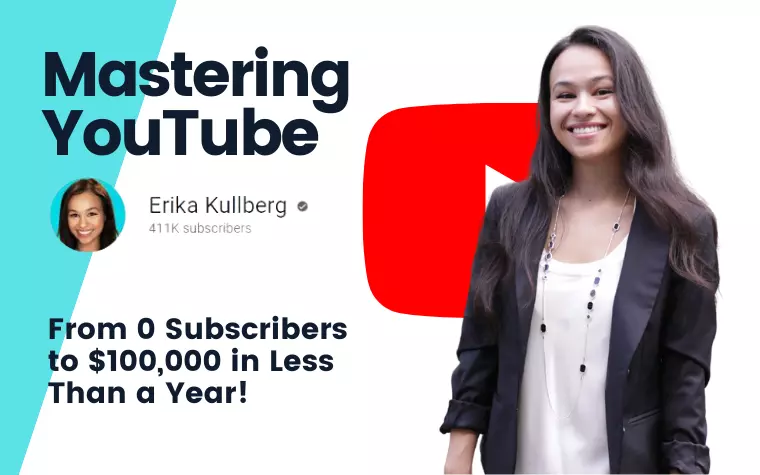
Mastering YouTube for the Busy Professional by Erika Kullberg is the best course for building a personal brand channel where you go on camera. Erika went from 0 to 70,000 subscribers and made $100,000 in under one year, and she teaches exactly how she did it. The course costs $497 regularly or $447 with the discount code DREWSREVIEWSYT.
You may have seen Erika Kullberg on YouTube already. She's a lawyer turned YouTuber who built a very successful personal finance channel in under a year. That kind of growth is rare, especially in a competitive niche like personal finance where you're competing against established channels with millions of subscribers.
The course is designed for busy professionals who want to start a YouTube channel on the side without quitting their day job first. But after going through the material myself, you don't necessarily have to be a busy professional to benefit from this training. If you want to become a food vlogger, travel vlogger, fitness coach, or even have a motorsports channel, this course is going to help you get growth faster than figuring it out alone.
Erika teaches you to run your channel like a business, not a hobby. That mindset shift matters because most people treat YouTube as a fun creative outlet and then wonder why they're not making money after two years. If you want to make real income from YouTube, you need to treat it like a business from day one. Learning from someone in finance who knows a thing or two about making money and protecting profit margins makes sense to me.
You also need to get over the fear of being on camera. This course is specifically for people building a personal brand. That means people will identify you as the go-to person for the field of expertise you want to teach, talk about, or share with the world. You're the personality. You're the face. That's fundamentally different from faceless channels where the content is the star.
You don't need any prior YouTube experience to succeed with this course. Even if you've never shot a video before, Erika walks you through the equipment, the filming process, the editing, and the uploading workflow. She teaches you the right way from the start so you don't develop bad habits you'll have to unlearn later.
If you don't have a niche yet but want to be a YouTuber, don't worry. Erika helps you find that niche and validate it before you invest time and money into equipment and production. The niche selection module alone is worth the price of admission because picking the wrong niche can cost you months or years of wasted effort.
What Topics Does Mastering YouTube for the Busy Professional Cover?
The course walks you through how to find a niche that has real demand and isn't oversaturated. How to set up your channel correctly from day one so YouTube understands what your content is about and who to show it to. Creating videos from planning through execution including thumbnails and titles, writing a script that holds attention, and structuring videos for maximum watch time.
You learn about recording equipment ranging from budget setups using just your phone to professional gear if you want to invest in higher production quality. Video editing gets covered whether you want to edit yourself or hire someone on a budget. How to get to 1,000 subscribers and 4,000 watch hours to qualify for the YouTube Partner Program. How to create a viral video that breaks through the algorithm. And how to grow your channel consistently month after month.
There are 15 modules and 94 lessons in total. The course gets updated according to new trends and information that becomes available, so you're not stuck with 2020 strategies in a 2026 algorithm. Erika adds new content and removes outdated material as the platform evolves.
How Much Does Mastering YouTube Cost and What Is the Refund Policy?
The regular price is $497 but you can get 10% off when you use coupon code DREWSREVIEWSYT at checkout. That brings it down to $447, which saves you $50. I know that's still expensive compared to my course at $47, but you're getting video training, more hand-holding, and training from someone who provably went from zero to six figures in under a year.
The refund policy gives you 14 days with a no-questions-asked guarantee. You don't need to prove you made an attempt to start your channel or show that you went through specific modules. If you're unhappy for any reason within 14 days, you can request a refund and get your money back. That removes a lot of the risk from trying the course.
What Are the Strengths and Limitations of Mastering YouTube?
The biggest strength is you can create any type of YouTube channel with this training across various niches. Erika's personal finance channel proves the model works, but the strategies apply to any niche where you're building a personal brand. Beauty, fitness, business, cooking, parenting, relationships. The frameworks translate across verticals.
Erika knows how to grow a channel and shares her actual strategies in the course. She's not holding back insider secrets or gatekeeping the good stuff for a higher-priced tier. Everything she did to hit 70,000 subscribers in under a year is in the training. That transparency is rare. Most course creators teach general principles but keep their specific tactics private.
The course works for beginners or at any level. If you already have a channel with 5,000 subscribers but can't seem to break past that plateau, the growth strategies in later modules will help you scale. If you're starting from absolute zero, the early modules hold your hand through every technical step so you don't get stuck on things like channel verification or thumbnail sizing.
There are many documented student success stories. People who took this course and went from zero to thousands of subscribers, qualified for the Partner Program, landed sponsorships, or quit their jobs to do YouTube full-time. That social proof matters when you're deciding whether to invest $447 in a course.
The money-back guarantee gives you a no-risk trial period. Try it for 14 days, go through the modules, see if the teaching style works for you. If it doesn't click, get your money back. That's fair.
Now for the limitations, because no course is perfect for everyone.
The price is higher than budget alternatives. At $447 with the discount, you're paying nearly 10 times what my course costs. That gap is justified if you want video training and personal brand strategies, but it's still a significant investment for most people.
You may need to buy additional tools beyond the course itself. A good microphone costs $50 to $200. Editing software like Adobe Premiere Pro costs $20 to $50 per month. Lighting equipment costs $50 to $300. Thumbnail creation tools cost $10 to $30 per month. Erika covers these costs in the course so you know what to expect, but they add up quickly on top of the course fee.
Who Should Buy Mastering YouTube and Who Should Skip It?
Buy this course if you plan to go on camera and build a personal brand channel. If you're comfortable being the face of your channel, this is the best training available at this price point. Erika teaches on-camera presence, scripting for personality-driven content, and how to build an audience that follows you specifically rather than just your topic.
Buy this if you want video training with step-by-step walkthroughs. Some people learn better by watching someone do it on screen than by reading text instructions. If that's your learning style, Erika's video modules will work better for you than my text-based course.
Buy this if you have the budget to invest $447 plus equipment costs without straining your finances. This is a real business investment that can pay itself back many times over if you execute on the training, but you need to be comfortable with the upfront cost.
Skip this if you're camera shy and want to build faceless channels instead. The entire course assumes you're willing to show your face and be the personality driving the channel. If that makes you uncomfortable, you'll be fighting against the core methodology the entire time. Get my course or another faceless-focused alternative instead.
Skip this if you're on a tight budget. At $447, this is a significant expense. If you can't afford it without financial stress, start with a cheaper option like my course at $47, prove the YouTube business model works for you with real results, then upgrade to more expensive training later when you have revenue coming in.
Don't forget to use coupon code DREWSREVIEWSYT at checkout for 10% off the regular price.
What Is YouTube Success by MKBHD and Why Did I Rank It Third?
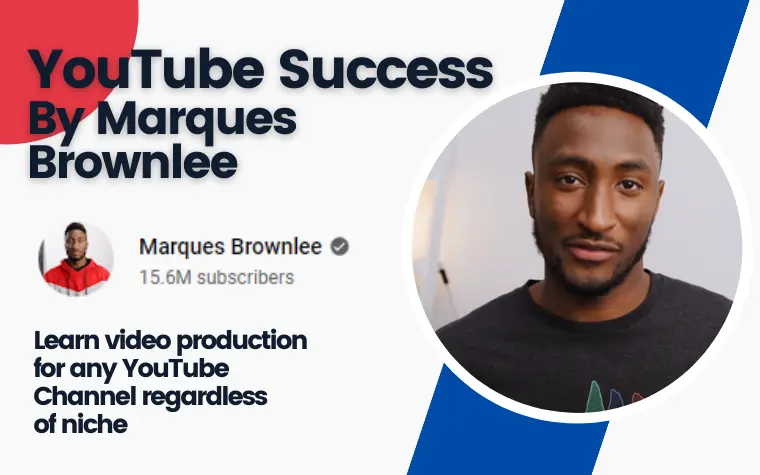
YouTube Success by Marques Brownlee (MKBHD) is the best course for learning professional video production on YouTube. If you want behind-the-scenes knowledge on how to make high-quality videos that look and feel professional, this is it. The course is hosted on SkillShare, which costs $32 monthly or $168 annually with a free trial available.
You've probably seen Marques Brownlee on YouTube. He's got over 15 million subscribers and is considered one of the best tech reviewers on the platform. His production quality is noticeably higher than most YouTubers. Clean framing, professional lighting, smooth editing, high-quality audio. That polish doesn't happen by accident.
While his channel focuses on tech reviews, his course applies to anyone in any genre. Beauty channels, car channels, fashion, cooking, travel. Production quality matters regardless of your niche. If you can teach people how to make their videos look and sound professional, they'll watch longer and subscribe at higher rates according to YouTube's Creator Research.
What Topics Does YouTube Success Cover?
The course walks you through how to research your topic before you start filming. How to write a script that keeps viewers engaged. How to plan your visuals so every shot serves a purpose. How to hook your audience in the first 10 seconds. How to edit your footage efficiently without spending 8 hours on a 10-minute video. And how to post your videos with proper optimization.
There are 11 lessons in total, and the whole course can be completed in just over an hour. This is not a training-intensive course like the others on this page. It's focused specifically on production quality, not on growth strategies or monetization or niche selection. If you already know what you want to make videos about and you just need to make them look better, that's what this course delivers.
How Much Does YouTube Success Cost?
This is technically a free course if you're already a SkillShare member. If you're not a member yet, you can sign up and get your first month free, which gives you access to YouTube Success plus thousands of other courses on the platform.
The monthly cost of SkillShare after the free trial is $32 or $168 annually. The annual price makes more sense financially because monthly billing would cost you $384 a year. Paying annually saves you $216 a year, which is significant if you plan to stay subscribed.
With SkillShare, your first month is free so you can try the course at no cost. If you subscribe to the monthly plan after that, they do not offer refunds. However, if you subscribe to the yearly plan, you can get a refund if you apply for one within 7 days of the charge. That gives you a week to decide if the platform is worth keeping.
What Are the Strengths and Limitations of YouTube Success?
The training is easy to follow along with, even for beginners who have never edited video before. MKBHD explains concepts clearly without using too much technical jargon. He shows you what he's doing on screen so you can replicate it in your own editing software.
The course includes strategies I haven't seen taught elsewhere. The way MKBHD plans his shots before filming, the specific hooks he uses to keep viewers watching past the first 10 seconds, the editing shortcuts that save hours of work. These aren't generic YouTube tips you could find in a free video. They're specific workflows from someone who's been doing this at a professional level for over a decade.
You can get this course free with the SkillShare trial. That removes all financial risk from trying it. Watch it during your free month, see if it helps, cancel before you get charged if it doesn't deliver value.
You'll have access to all courses on SkillShare if you subscribe, not just MKBHD's course. That includes other YouTube training, video editing courses, graphic design, photography, and thousands of other topics. If you're the type of person who enjoys continuous learning, the SkillShare membership pays for itself quickly.
The main limitation is the course is relatively short. Just over an hour of content. I had hoped it would be longer and more detail-oriented, going deeper into advanced editing techniques or lighting setups or audio mixing. What's there is excellent, but I wanted more of it.
Who Should Take YouTube Success and Who Should Skip It?
Take this course if you want to learn more about the technical side of YouTube when it comes to video production. If you already have a channel or you're planning to start one and you want your videos to look professional from day one, MKBHD teaches you how to achieve that quality level.
Take this if you already have a SkillShare subscription. You've already paid for access, so you might as well go through the course and pick up any tips that improve your production quality.
Take this if you're willing to invest time in production quality. MKBHD's approach requires more work per video than the AI-assisted faceless model I teach. You're filming multiple takes, planning shots, editing carefully. That time investment pays off in higher perceived quality, but you need to be willing to put in the hours.
Skip this if you want a complete beginner-to-success roadmap. This course teaches production quality specifically. It doesn't teach you how to pick a niche, grow from zero subscribers, monetize your channel, or scale to full-time income. You'll need additional training to fill those gaps.
Skip this if you want to build faceless channels with AI doing most of the production work. MKBHD's course assumes you're filming yourself or doing screen recordings where production quality matters. If you're using stock footage and AI voiceovers, most of his production advice won't apply to your workflow.
Which YouTube Course Should You Choose Based on Your Goals?
Picking the right course comes down to what type of channel you want to build and whether you're comfortable being on camera. Let me break down the best choice for each situation based on what I've seen work in practice.
What Is the Best YouTube Course for Faceless Channels with AI Workflows?
The 2026 AI Business Blueprint wins for faceless YouTube with AI workflows built in from day one. Full disclosure: this is my course, so take this recommendation knowing I have a financial interest in you buying it.
Module 2 teaches you to build problem-solving channels without showing your face, with AI handling scripting, voiceovers, and production. At $47, it's one-tenth the price of what Tube Mastery used to charge before shutting down. You get faceless YouTube training plus four other business models, 50+ copy-paste AI prompts for every production stage, and three bonus packs covering social media, tool selection, and content editing.
The trade-off is there's no coaching, no community, and no video training. It's text-based and self-directed. If you need hand-holding or weekly check-ins to stay accountable, this isn't the right fit. But if you're comfortable reading, executing independently, and using AI to compress production time from 8 hours per video down to 2 hours per video, this is the most affordable path to faceless YouTube I'm aware of.
Pro Tip - AI is your online assistant if you need help. The course has a lof of instruction, if something isn't clear, just ask AI. Ever noticed that a lot of support nowadays is handled by AI anyway?
I think faceless YouTube with AI is the best entry point for most beginners because it removes the two biggest barriers that stop people from starting. Fear of being on camera, and the time investment of learning to edit videos manually. If you can get past those two obstacles with AI doing the heavy lifting, you're way more likely to actually publish your first 10 videos instead of quitting after one.
What Is the Best YouTube Course for Personal Brand Channels Where You Go On Camera?
Mastering YouTube for the Busy Professional by Erika Kullberg wins for personal brand channels where you're the face and personality. Erika went from 0 to 70,000 subscribers and $100,000 in revenue in under a year. That's a track record worth learning from, especially in a competitive niche like personal finance.
Her course is built for people who want to go on camera and build a personal brand, which is the most sustainable long-term play on YouTube according to YouTube's official creator data. Personal brand channels have higher retention, better sponsorship opportunities, and more monetization flexibility than faceless channels.
You'll get everything from niche selection and scripting to equipment recommendations, editing workflows, and growth strategy. At $497 normally or $447 with code DREWSREVIEWSYT, it's more expensive than my course but includes significantly more hand-holding for on-camera creators. The video training format works better for people who learn by watching rather than reading.
If you want to build a channel around yourself as the personality and you're willing to invest both money and time into doing it right, this is the course to get. Erika doesn't sugarcoat the work involved, which I appreciate. She's honest about the 6 to 12 month timeline before most people see meaningful income.
What Is the Best YouTube Course for Improving Video Production Quality?
YouTube Success by Marques Brownlee wins for production quality specifically. MKBHD has over 15 million subscribers and his production quality is noticeably higher than most creators at any subscriber count. If you want your videos to look and feel professional, he teaches you exactly how to achieve that level of polish.
The course is short at just over an hour, but it's focused specifically on the technical side. Research, scripting, visual planning, editing, and posting. It doesn't teach you how to pick a niche, grow from zero subscribers, or monetize your channel. Those topics get covered better in the other two courses on this page. This is purely about making your videos look and sound better.
It's hosted on SkillShare, which gives you access to thousands of other courses for $32 monthly or $168 annually. The first month is free, so you can watch MKBHD's course at no cost during the trial period. If you're already paying for SkillShare or you want access to their full course library beyond just YouTube training, the membership makes sense.
This course assumes you already have a channel or solid experience and want to level up your production quality to compete with professional creators, rather than teaching you how to start from zero. If that's where you're at in your YouTube journey, MKBHD delivers exactly what you need.
For more YouTube strategy resources beyond these courses, I recommend checking out YouTube SEO tips to improve your video rankings and how to use YouTube analytics to understand what's actually working on your channel.
Frequently Asked Questions
What type of training does a YouTuber need to succeed?
A YouTuber needs to know how to find the right niche, find the right keywords, write a video script, edit videos, understand YouTube SEO and analytics, monetize the channel, and grow the channel.
If you're going on camera, you also need strategies for filming and lighting. If you're building faceless channels, you need to know how to source footage legally, write scripts that hold attention without showing yourself, and create thumbnails that compete with on-camera personalities.
Is being a YouTuber a good career choice in 2026?
Yes, being a YouTuber can be a good career if done right. Many YouTubers have quit their day jobs and gone full-time on YouTube income. Money comes from the YouTube Partner Program, sponsorship deals, merchandising, and affiliate marketing.
According to recent industry data from Statista, YouTube creators earned over $30 billion in revenue in 2023 through various monetization methods. The opportunity is real, but it takes consistent work over 6 to 18 months before most people see meaningful income.
What does a YouTuber earn on average?
A YouTuber doesn't get a set salary. Money comes from views, specifically a certain amount per 1,000 views. This is based on CPM which depends heavily on the niche. Finance and business channels might earn $20 to $30 per 1,000 views.
Gaming channels might earn $2 to $8 per 1,000 views. Entertainment channels fall somewhere in the middle at $5 to $15 per 1,000 views. Money also comes from sponsorships, affiliate marketing, digital products, and other revenue streams beyond just AdSense payments from YouTube.
How do I start a career on YouTube without experience?
Starting a YouTube career should begin with the type of channel you want to create. Do you want to be on camera or not? What are you passionate about or knowledgeable in? These are the two most important questions to answer first. You can't fake passion or expertise.
Doing what other YouTubers are doing just because they make money will show through in your content. People see through that immediately. You need to do something that truly interests you if you want to stick with YouTube long enough to see real results.
How long does it take to make money on YouTube?
There's no set timeline, but most creators start seeing income once they hit the YouTube Partner Program threshold of 1,000 subscribers and 4,000 watch hours. For most people, that takes anywhere from 6 to 18 months depending on consistency, niche, and content quality.
According to YouTube's Creator Academy, the median time to monetization is about 12 months of consistent uploading. Affiliate marketing on YouTube can generate income even sooner since you don't need to be in the Partner Program to earn affiliate commissions.
Can you make money on YouTube without showing your face?
Yes, you can absolutely make money on YouTube without showing your face. Faceless channels use stock footage, screen recordings, AI-generated visuals, or hands-only filming. Many successful faceless channels earn six figures annually through affiliate marketing and AdSense.
The 2026 AI Business Blueprint teaches this model specifically in Module 2. The key is choosing problem-solving content over entertainment content. When people search for solutions to real problems, they care about the information, not about seeing your face.
Are YouTube courses worth the money or can I learn for free?
YouTube courses are worth the investment if they're taught by creators with proven results and they save you months of trial and error. A good course compressed 6 to 12 months of mistakes and testing into a structured learning path. The $47 to $497 you spend on a course can help you avoid one $500 mistake in equipment or ad spend or wasted time on the wrong niche.
That means it pays for itself. Learning from someone who built a successful channel is faster than piecing together free YouTube videos that sometimes contradict each other or teach outdated strategies from 2020.
Related Posts

- Dropship Breakthru Review: Price, Guarantees, Fine Print - October 11, 2026
- Best Outdoor Equipment Fulfillment Companies for DTC Brands - October 8, 2026
- Why Your Site Needs an Automated Price Calculator - October 7, 2026
